The Logic Engine your Editor was missing.
The Block Editor brought visual design to WordPress, but its logic remains siloed.
Vector Expressions dissolves the wall between your design and your data. It allows you to embed live intelligence directly into your text, attributes, and styles as you write.
- Logic at Your Fingertips: Stop hunting for field keys. Just type
{{inside any block to trigger a smart autocomplete menu of all your live data. - Live Visual Feedback: Expressions instantly transform into interactive “Tokens” in the editor. You see a live preview of your data as you work, giving you total confidence in your layout before you hit publish.
- Native Performance: Because your rules are embedded inline, our streamlined pipeline processes them before the page is even served. Your visitors get a personalized experience with zero layout shifts and industrial-grade speed.
Not enough? Use expressions to control conditional visibility and CSS classes into any block—without touching a single line of PHP or JavaScript.
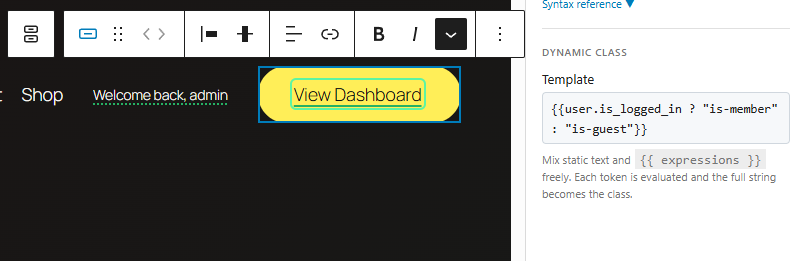 The Need: Greet returning members by name while providing a clear "Log In" path for new visitors.
The Vector:
- Heading:
{{ user.is_logged_in ? "Welcome back, {user.name}" : "Join the Community" }} - Button Text:
{{ user.is_logged_in ? "View Dashboard" : "Sign In" }} - Button Class:
{{ user.is_logged_in ? "is-member" : "is-guest" }}

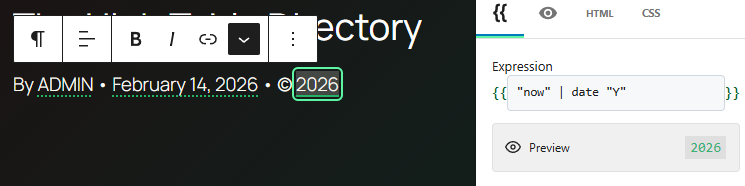 The Need: Standardizing post bylines and copyright notices with consistent casing and locale-aware dates across the entire site.
The Vector:
- Content:
By {{ post.author_name | upper }} • {{ post.date | date "F j, Y" }} • © {{ "now" | date "Y" }}
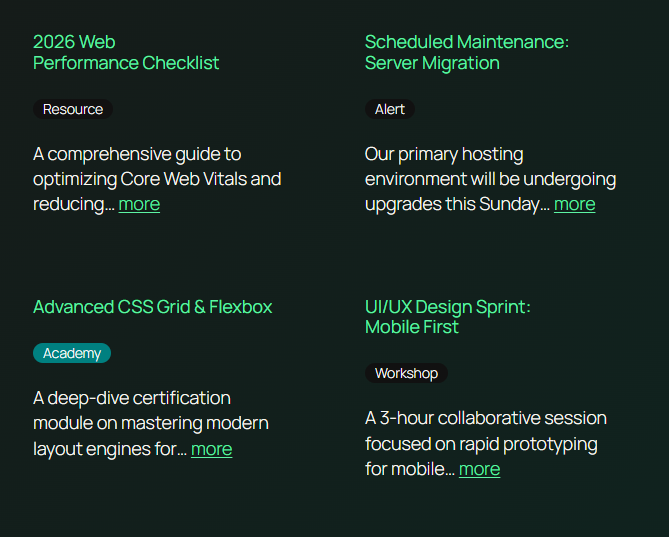
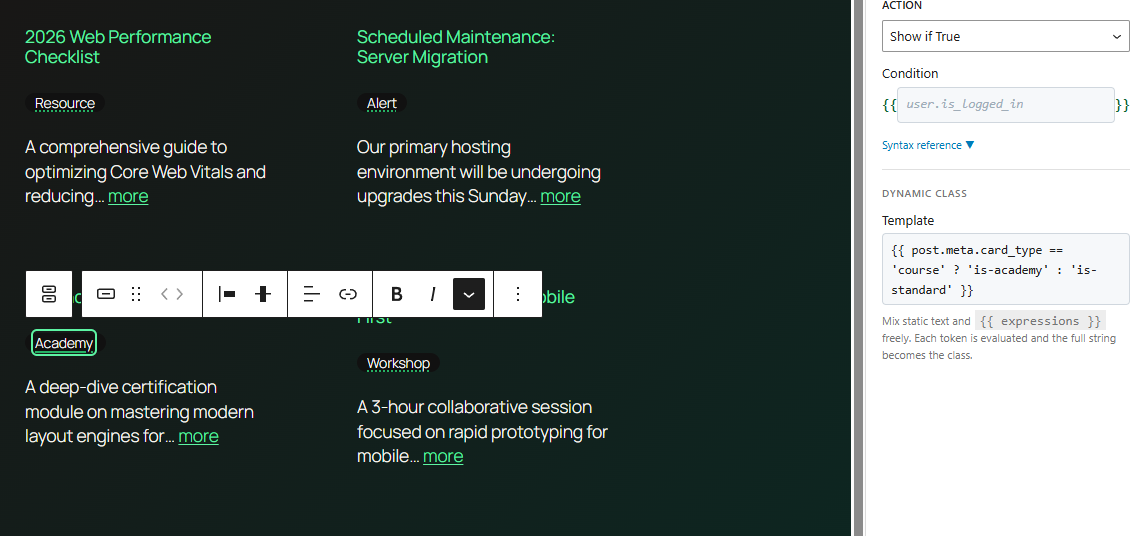 The Need: A stylized badge that dynamically adapts based on a custom "Card Type" meta field, showing specific labels and colors for different content categories.
The Vector:
- Content:
{{ post.meta.card_type | match event="Workshop" course="Academy" news="Alert" | default "Resource" }} - Dynamic Class:
{{ post.meta.card_type == 'course' ? 'is-academy' : 'is-standard' }}
Core Feature Index: The Free Edition
A streamlined rendering pipeline ensures your site stays fast even with hundreds of dynamic elements. No bloated regex, just instant performance.
We use the same high-performance HTML engine as WordPress Core. This means your layouts never break, and your dynamic attributes are injected safely every time.
"Show if True" or "Hide if True" controls universally available for every Gutenberg block.
Bind CSS classes to logical conditions (e.g., user.is_logged_in ? 'is-member' : 'is-guest').
Instant, zero-config access to user, post, and site objects and their metadata.
Clean, intuitive shorthand access to post.title, user.name, post.slug, and more.
20+ chainable filters — upper, lower, date, match, default, and more — all composable with the | pipe operator.
Hydrate objects and fetch deep metadata efficiently using get_post, get_user, and get_meta.
Every layer is extensible. Register custom context roots, add your own filter functions to the pipe chain, or override output behavior with WordPress filters. No core modifications, no fragile workarounds — just clean, documented APIs designed for teams that ship production code.
Manage bindings through an intuitive Block Inspector panel featuring our bespoke "Logic Pills".
REST API integration evaluates and returns live data previews directly inside the Gutenberg editor canvas.
Rapid expression insertion featuring a context-aware {{ trigger and fuzzy search.
Built-in safety guards prevent infinite loops and server errors, so you can build complex logic with total peace of mind.
The | render filter re-evaluates expressions inside resolved strings — ideal for templates stored in post meta.
All string filters use PHP's mb_* functions when available, ensuring correct handling for accented, CJK, and emoji content.